Email Segmentation: How to Send the Right Emails to the Right People

When you first started your business, your email list was probably pretty straightforward. You had a handful of offers, a clear target audience, and a relatively simple email marketing strategy.
But as your business grows, so does your audience.
For established female founders, that might mean you now have multiple offers, several lead magnets bringing people onto your list, different types of customers, and subscribers at every stage of the customer journey.
And they don't all need the same emails from you. That's where email segmentation comes in.
You can use what you know about your subscribers to make more intentional decisions about who receives what.
And no (deep breath), that doesn't mean you need 127 hyper-specific segments or a completely different newsletter for every person on your list.
In this blog post, you'll learn:
What email segmentation is and why it matters
Different ways to segment your email list
How to create segments within your email list
How to decide which segments make sense for your business
How to use segmentation as part of your larger email marketing strategy
Let’s send the right emails to the right people based on what matters to your business and your subscribers, shall we?
What Is Email Segmentation?
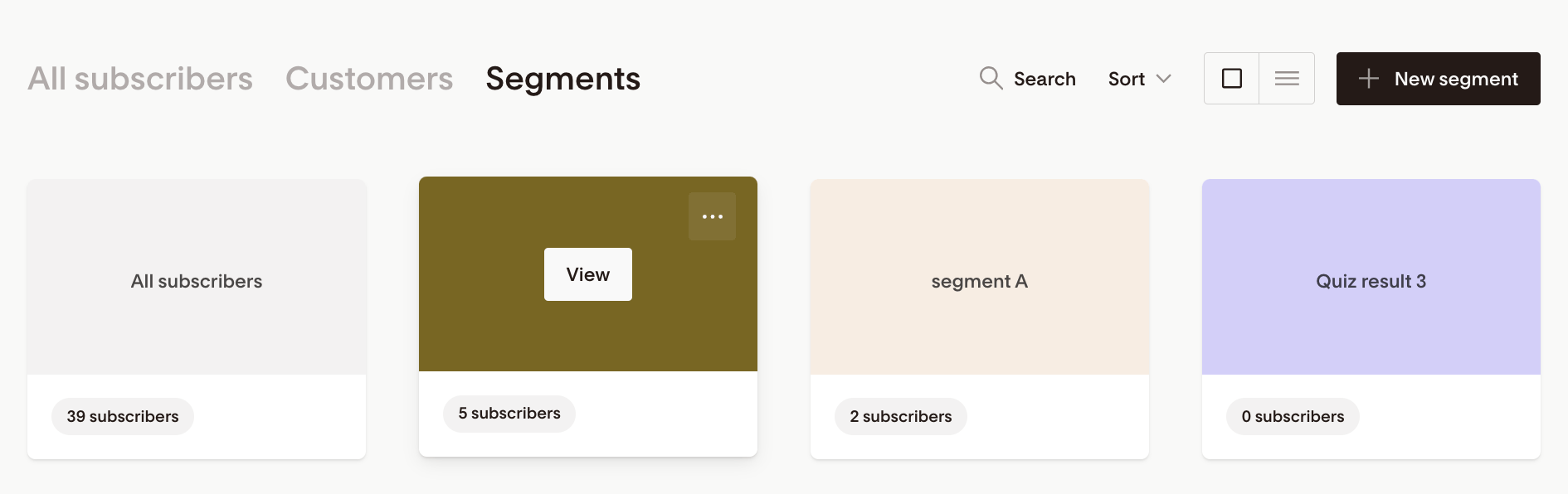
Screenshot of email segmentation in flodesk.
Email segmentation is the process of dividing your email list into smaller groups based on specific characteristics, interests, or behaviors.
Your email list includes everyone who has subscribed, while email segments are smaller groups of subscribers who have something relevant in common. Depending on your business, that might be what they're interested in, how they joined your list, what they've purchased, or where they are in the customer journey.
You can then use those segments to decide who should receive a particular email instead of automatically sending every email to your entire list.
For example, let's say you offer both group coaching and in-person retreats. You could create a segment of subscribers who've shown interest in your retreats. When you announce new retreat dates, you can send the promotion to that segment rather than subscribers who've only shown interest in your coaching offers.
Why Is Segmentation Important in Email Marketing?
Segmentation is important in email marketing because the more relevant an email is to the person receiving it, the more reason they have to open it.
Think about your own inbox.
You're probably much more interested in an email that speaks to something you care about right now than a promotion for an offer that has nothing to do with you.
That's where segmentation helps. It gives you more control over which emails different subscribers receive.
More relevant emails support:
Get more engagement from your emails. When subscribers receive content that relates to what they care about, they have a stronger reason to open, click, and keep reading.
Make every email feel more relevant. You can avoid filling someone's inbox with promotions or content that have little to do with why they joined your list in the first place.
Promote your offers more strategically. Instead of putting every offer in front of your entire list, you can focus promotions on the subscribers who've shown signs that they're interested.
Keep nurturing customers after they buy. You can change the emails someone receives once they become a customer, so you're continuing the relationship instead of talking to them like they're still a brand-new lead.
So, what does email segmentation look like in practice? Let’s look at a few different ways you can divide your list based on what you know about your subscribers.
What Are the Different Ways to Segment an Email List?
There are several ways to segment an email list, and you don't need to use all of them. Your email marketing segmentation strategy will depend on your audience, offers, customer journey, and the subscriber data you have available.
Here's a quick look at four common ways to segment your list:
| Type of segmentation | What it's based on | Example |
|---|---|---|
| Behavioral | What a subscriber does | Clicking a link about a specific offer |
| Interest-based | What a subscriber has shown interest in | Downloading a lead magnet about a specific topic |
| Demographic or customer-based | Relevant characteristics about the subscriber | Their location, industry, or customer type |
| Customer journey | Their relationship with your business | New subscriber, lead, current customer, or past customer |
Behavioral Segmentation
Behavioral segmentation groups subscribers based on actions they've taken. Instead of relying on what someone tells you they're interested in, you're using their actual behavior to inform what you send next.
Depending on what your email marketing platform tracks, that could include:
Links they've clicked
Emails they've engaged with
Products or services they've purchased
Other actions they've taken that your email platform can track
For example, imagine you're launching a new skincare product and send an email to your list showing it off. You could create a segment of subscribers who clicked through to the product page but didn't purchase.
Because they've already shown interest in the product, you might send that group additional emails about the ingredients, benefits, customer reviews, or other information that helps them decide whether it's right for them.
Interest-Based Segmentation
Interest-based segmentation groups subscribers based on the topics, offers, products, or services they've shown an interest in.
You might learn about those interests from:
The lead magnet they downloaded
Preferences they selected when signing up
Links they've clicked
The content or offers they've engaged with
Let's say you run a wellness business that offers both corporate wellness programs and retreats for individuals. Someone who downloads your corporate wellness guide has given you a pretty strong clue about why they're on your list.
You can use that information to send them content and offers related to corporate wellness rather than assuming they're equally interested in your retreats.
Demographic or Customer-Based Segmentation
Demographic or customer-based segmentation groups subscribers according to relevant characteristics, such as their location, industry, business type, or customer type.
The key word here is relevant.
Just because you have a piece of information about someone doesn't mean you need to build a segment around it.
For example, if you host in-person events in different cities, location has a clear purpose. Segmenting subscribers by location lets you promote a Detroit event to only the people who live nearby.
Customer Journey Segmentation
Customer journey segmentation groups subscribers based on where they are in their relationship with your business. That might include new subscribers, leads, current customers or clients, past customers, and repeat customers.
This matters because someone discovering your business for the first time needs different messaging than someone who already knows, trusts, and has purchased from you.
For example, a new subscriber might receive a welcome sequence introducing your business and offers. A current client doesn't need that introduction.
You could instead use their customer status to send onboarding emails, client resources, relevant updates, or opportunities to continue working with you.
How Do You Choose the Right Email Segments for Your Business?

Choose your email segments based on what will help you market your business more effectively. Your email service provider (ESP) might give you dozens of ways to divide your list, but you probably don't need most of them.
Start by looking at your business as it exists now:
Your audience: Do you serve groups of people with noticeably different needs?
Your offers: Do you sell multiple products or services that appeal to different people?
Your list growth: Where are subscribers coming from, and what does that tell you about what they're looking for?
Your customer journey: Does what you send need to change as someone gets closer to buying or becomes a customer?
Your subscriber data: What information do you already have, and what can you realistically collect and track?
From there, ask yourself: Would knowing this about a subscriber change what I send them?
Would you change the content?
The messaging?
The offer?
The timing?
The automation they enter?
If the answer is no, you probably don't need that segment.
You also have to work with the data you actually have. Your segmentation strategy won't do you much good if it depends on subscriber information you aren't collecting or your email platform can't track.
How Do You Segment Your Email List?
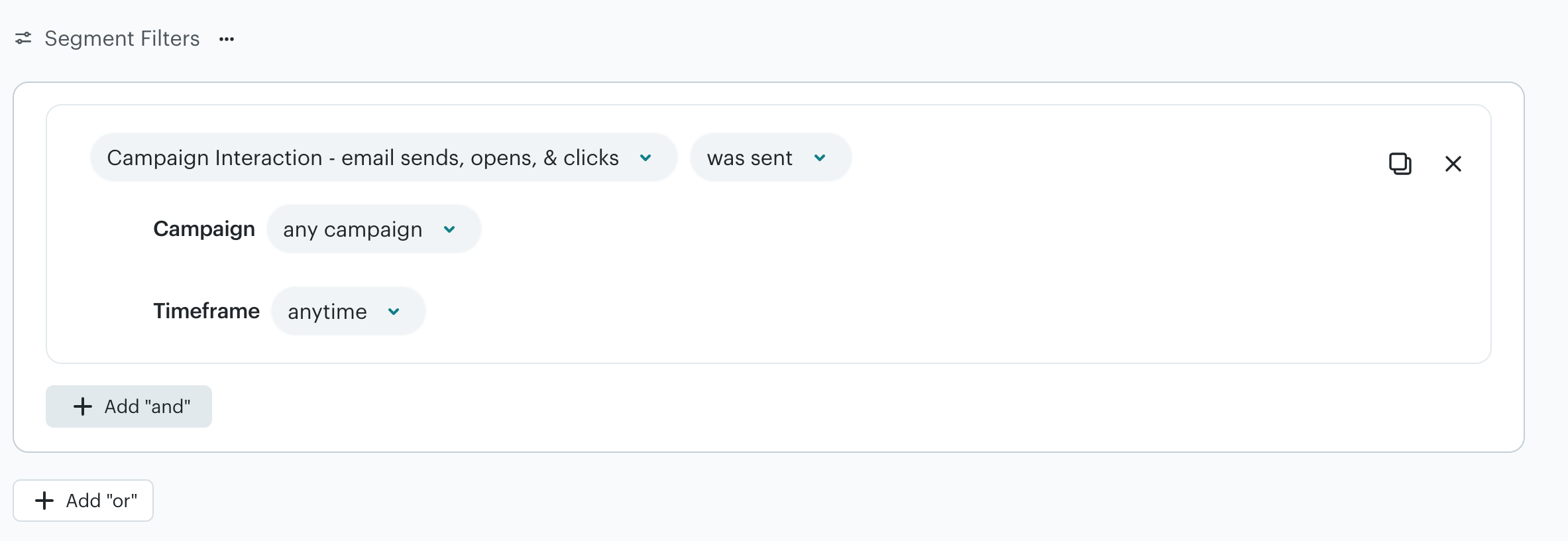
Screenshot of MailChimp segmentation tool.
Once you've decided which segments make sense for your business, you need a way to identify which subscribers belong in each one. The exact process varies by ESP, but it generally looks something like this:
Collect or track the relevant subscriber data. Your ESP might get this information through signup forms, subscriber preferences, tags, link clicks, purchase data, integrations, or other tracked activity.
Set the criteria for your segment. Choose the conditions subscribers need to meet to be included. For example, you might create a segment of people who downloaded a specific lead magnet or customers who purchased a particular product.
Let your ESP group qualifying subscribers. Based on how your platform handles segments, subscribers who meet the criteria are grouped together so you can target them with the appropriate emails.
Use the segment in your email marketing. You can select that audience when sending a campaign or use the segment as part of an automation or other email workflow.
Your ESP will determine exactly how you set this up, so the buttons, terminology, and segmentation options will vary from platform to platform. (I know, I’m sorry!)
When Does Email Segmentation Become Unnecessarily Complicated?
Email segmentation becomes unnecessarily complicated when managing it starts creating more work for you and your team than it's worth.
Most ESPs give you plenty of ways to slice and dice your audience. But just because you can create a segment doesn't mean you need to.
As Dr. Ian Malcolm so wisely put it in Jurassic Park: “Your scientists were so preoccupied with whether or not they could, they didn’t stop to think if they should.”
Different context. Same principle.
Here are a few signs your email segmentation is getting too complicated:
You can't keep track of all your segments. If you have to dig through your ESP every time you send an email to figure out which segments exist, who's in them, or why you created them, your setup probably needs simplifying.
You're creating too many versions of the same email. Tailoring emails to different audiences can be useful, but writing five versions of every campaign adds a lot of work for you or your team.
Your segments are getting so specific that barely anyone is in them. Breaking your audience into smaller and smaller groups can leave you spending time creating separate emails for a handful of people.
You're collecting subscriber data you never use. Every extra field, tag, or piece of information adds something else to manage. If that data never affects your email marketing, you probably don't need to keep collecting it.
Sending an email has become way more complicated than it needs to be. If every campaign requires sorting through layers of segments, conditions, and exclusions before you can hit send, the system that's supposed to help your marketing is slowing you down.
Sometimes, sending an email to your entire list makes perfect sense.
If you're sharing a newsletter, business announcement, or piece of content that's relevant to your broader audience, send it to them. You don't need to find a reason to segment every email.
Keep your segmentation manageable for the business you have right now.
How Does Segmentation Fit Into Your Larger Email Marketing Strategy?
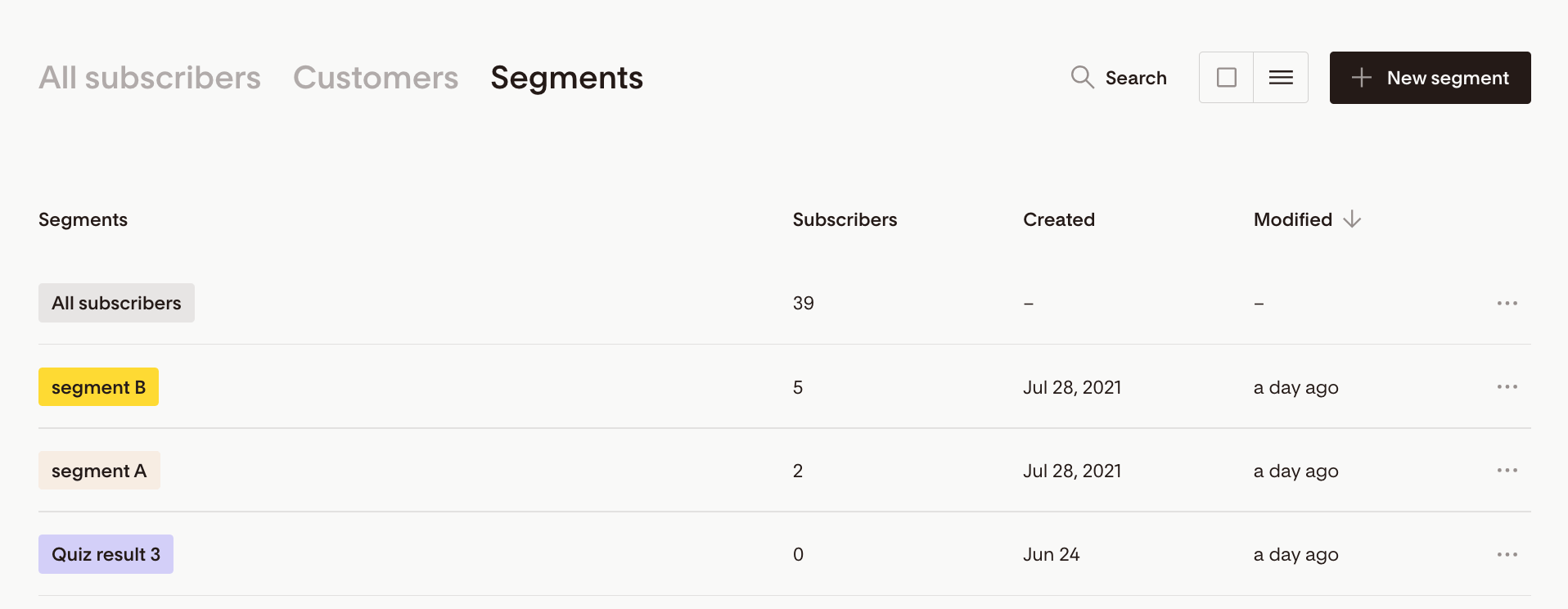
Screenshot of email segments in flodesk.
Your segmentation strategy affects what happens throughout your entire email funnel, from the moment someone joins your list to what they hear from you after they become a customer.
Think about all the different pieces of your email marketing:
Lead magnets and opt-ins
Signup forms
Welcome and nurture sequences
Newsletters and campaigns
Launches and promotions
Customer onboarding
Retention emails
When you're planning any of these pieces, consider what role segmentation needs to play from the beginning.
When you're planning any of these pieces, think about segmentation from the beginning. For example, if you want to send different welcome emails based on what a subscriber is interested in, you need a way to capture that information when they join your list.
Looking at segmentation as part of your broader email strategy helps you build an email ecosystem that best supports your business.
FAQs
-
There's no ideal number of email segments you should have. You only need as many segments as your email strategy actually calls for.
If separating subscribers into different groups changes the content, offers, messaging, or emails you send them, that segment has a purpose. If it doesn't change anything, creating another segment is probably adding unnecessary complexity.
-
Yes, a subscriber can belong to multiple email segments at the same time if they meet the criteria for each segment.
For example, someone could be a current customer, have downloaded a specific lead magnet, and have shown interest in another offer. Depending on your ESP, that subscriber could belong to segments based on each of those characteristics.
-
Email segmentation divides subscribers into groups based on shared characteristics, interests, or behaviors, while email personalization uses information about an individual subscriber to tailor the emails they receive.
You can use segmentation and personalization together. For example, you might send an email to a segment of subscribers interested in a particular service and personalize that email using information you have about each subscriber.
-
Tags typically identify specific information or actions associated with a subscriber, while email segments group subscribers based on criteria you set.
For example, your ESP might apply a tag when someone downloads a particular lead magnet. You could then create a segment that includes subscribers with that tag.
The terminology and functionality vary between email service providers, so check how your specific ESP handles tags and segments.
-
You don't need a large email list for email segmentation to be useful. What matters more is whether there are meaningful differences between your subscribers that affect what you send them.
Even a small list could include people interested in different offers or at different stages of the customer journey. If separating those subscribers would meaningfully change the content, offers, or messaging they receive, segmentation can still make sense.