How to Write an Email Subject Line That Gets a High Open Rate (for Female Founders)

The average person gets 121 emails per day. Your subscribers are busy, distracted, and making split-second decisions about what's worth their time. Nothing else in your email matters if the subject line doesn't get it opened.
Your email subject line has one job: get someone to open your email. If it doesn’t immediately catch their attention, it gets ignored.
If you’re a female founder trying to get more eyes on your emails without overthinking every subject line, you’re in the right place.
In this blog post, you’ll learn what works so you can write an email subject line that gets a high open rate.
Here’s what you’ll learn:
What drives email open rates beyond industry averages
Best subject line length for mobile and desktop
When and how to use personalization without overdoing it
How to write subject lines that spark curiosity, urgency, and emotion without resorting to clickbait
How to use your subject line and preview text together to increase open rates
Real examples of high-performing email subject lines and why they work
How to avoid spam filters and refine your subject lines before you send
Grab your tea. Let's get into it.
What Drives Your Email Open Rates?
Your audience, your relationship with them, and how they experience your emails over time drive your open rates.
A lot of advice about email open rates starts with industry averages. You’ll see numbers like 20 percent, 30 percent, sometimes higher, depending on the industry.
Those benchmarks can give you context, but they don’t tell you what’s happening in your business in particular.
That’s why your baseline matters more than any industry average.
Instead of chasing someone else’s numbers, focus on improving your own. If your emails consistently perform better over time, you’re moving in the right direction.
What Gets Someone to Open Your Email?
People open emails because something about the subject line feels worth their attention.
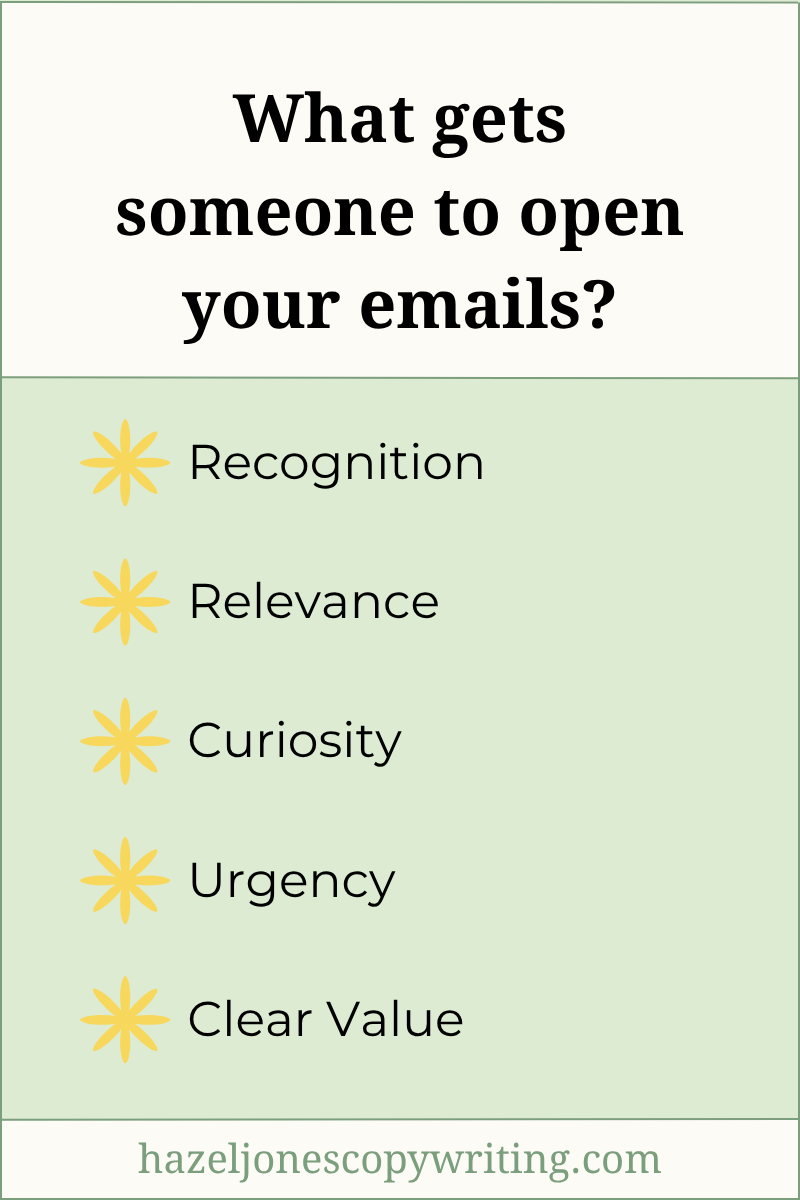
Email opens come down to a few key drivers:
Recognition. They know your name, your brand, or your style. You’ve shown up consistently enough that they trust what you send.
Relevance. It connects to something they care about right now. It feels timely or specific to them.
Curiosity. You create just enough of a gap in information that they want to know more, so they click on the email.
Urgency. There’s a clear, real reason to open the email now instead of later.
Clear value. They believe opening the email will give them something useful, interesting, or meaningful.
How those show up for your audience won’t look exactly the same.
Your Mileage Will Vary, That’s Normal
Two businesses can send the exact same subject line and get completely different results. Because audiences respond differently, come with varying levels of trust, and your sending habits create different expectations.
That’s why testing matters.
Pay attention to what your audience responds to and look for patterns. Keep what works and switch up what doesn’t.
Over time, you’ll build your own data instead of relying on generic advice. The goal is to understand what makes youraudience open your emails and keep getting better at it.
How Long Should an Email Subject Line Be?
Most high-performing email subject lines fall between 30 and 60 characters in length. You won’t find one perfect length for every email subject line, but this range consistently performs well.
Choose the length based on what you’re trying to say and how clearly you can say it.
Mobile vs Desktop Subject Line Length
Most of your subscribers open emails on their phones, which means your subject line often gets cut off earlier than you expect.
On mobile:
You usually get 30 to 40 characters before it gets truncated
The first few words matter the most
On desktop:
You have more space, often 50 to 70 characters
People still skim, so longer doesn’t always mean better
If you place your most important words at the end of your subject line, your subscriber may never see them. So front-load what matters.
Character Limits by Inbox Provider
Inbox providers display subject lines differently. You won’t find a universal cutoff, but you can use these ranges as a guide.
| Inbox Provider | Mobile (Approx.) | Desktop (Approx.) |
|---|---|---|
| Gmail | 30–40 characters | 50–70 characters |
| Microsoft Outlook / 365 |
25–35 characters | 30–60 characters |
| Yahoo Mail | 30–40 characters | 50–70 characters |
| iCloud Mail (Apple) | 30–40 characters | 45–65 characters |
| Proton Mail | 30–40 characters | 50–65 characters |
These ranges can vary depending on screen size and user settings, but they give you a strong baseline.
A shorter, clear subject line will almost always outperform a longer one that takes too long to get to the point.
Keep your subject lines clear and intentional
Put your most important words at the beginning
Assume part of your subject line may get cut off
If someone can understand the hook of your email in the first few words, you’re in a much stronger position to get the open.
How to Use Personalization in Email Subject Lines
Personalization can absolutely increase your open rates, but only if it feels genuine. When I talk about personalization here, I’m specifically talking about using someone’s name in the subject line.
When Personalization in Email Subject Lines Works
Personalization works best in email subject lines when it feels natural and intentional. You want your subscriber to feel like you’re speaking directly to them.
For example:
“[Name], quick question about your email strategy”
“[Name], your results are in”
“Curious what you think, [NAME]”
In each of these, the name supports the message. It makes the subject line feel more direct and personal without carrying the entire weight of the message.
When Personalization Doesn’t Work in Email Subject Lines
Personalization in a subject doesn’t work when you overuse it as a strategy. If you write a vague or empty subject line, adding a name doesn’t fix it. It makes the lack of substance more obvious.
Subject lines like “[First Name], don’t miss this!!!” or “[First Name], I have something for you” can work in the right context.
But if you rely on this style too often, it loses impact.
At this point, most people expect their name to show up in emails. It no longer grabs attention on its own. Your subscriber starts to recognize the pattern, and it stops feeling personal (which sort of defeats the purpose, right?).
Why Does Personalization Work?
Personalization works because it tells the reader, “This is for you.” You give them something that feels relevant to them in that moment.
Using someone’s name creates a sense of direct connection, especially when it’s paired with something meaningful. It changes the email from feeling like a “broadcast” to feeling like a message from a friend.
Instead of asking whether you should add someone’s name to your subject line, it’s more useful to ask whether the subject line itself feels like it was written with a specific person in mind.
When you take this approach, you’ll write subject lines that feel relevant, intentional, and worth paying attention to.
Use Your Subject Line and Preview Text Together to Get Higher Open Rates
When you strategically write your subject line and preview text to work together, you can get higher open rates. Think of your subject line as the hook and your preview text as the follow-through.
Have your subject line and preview text complement each other by giving them a clear role:
Subject line—Create curiosity or grab attention
Preview text—Add context, clarity, or a specific angle
The subject line grabs attention, and the preview text adds just enough context to make the email feel worth opening. When you use them together, they create a complete thought that makes your email more compelling.
Examples: Weak vs. Strong Subject Line and Preview Text Pairings
Here’s how subject lines and preview text either fall flat or work together to increase open rates.
| Weak Subject Line + Preview Text Pairings | ||
|---|---|---|
| Subject Line | Preview Text | Why It Falls Flat |
| I didn’t expect this to happen... | I didn’t expect this to happen... | Repeats the same exact wording |
| This changed everything overnight... | You need to see this now | Vague with no clear expectation |
| Quick question for you | About something important | Lacks meaningful context |
| Strong Subject Line + Preview Text Pairings | ||
|---|---|---|
| Subject Line | Preview Text | Why It Works |
| I didn’t expect this to happen... | After hitting my highest earning month yet | Adds context and moves the idea forward |
| This changed how I write subject lines... | And it increased my open rates within a week | Balances curiosity with a clear benefit |
| Quick question for you | About your last email campaign | Adds context and makes it immediately relevant |
Focus on how they work together instead of treating them separately. Ask yourself whether the preview text adds something new, clarifies the subject line, or strengthens the overall message.
If the answer is “yes”, you’re using both pieces of real estate effectively. You’ll create a stronger first impression and get higher open rates over time.
How to Write Email Subject Lines That Spark Curiosity, Urgency, and Emotion (Without Clickbait)
News flash: it IS possible to write subject lines that spark curiosity, urgency, and emotion without resorting to clickbait.
Strong subject lines do one of three things:
Create curiosity by leaving a specific gap
Introduce urgency tied to a real moment
Mirror something your reader is already feeling
Clickbait subject lines lean into being loud for no reason. They try to induce fear and hope you’ll be uncomfortable enough to open the email. And worst of all, they LIE or MISLEAD.
As a female founder, what you do is important, and you want your subject lines to be just as ethical as your business.
Examples: Clickbait vs Ethical & Effective Subject Lines
Let’s jump into some examples. If your subject line creates interest and accurately reflects what’s inside the email, you don’t need to rely on clickbait.
| Clickbait Subject Lines | |
|---|---|
| Subject Line | Why It’s Clickbait |
| This one trick will 10x your open rates overnight | Unrealistic promise that exaggerates results and damages trust. |
| Action Required: Your Account is Closed | Uses false urgency and fear to trick people into opening the email by manufacturing a fake crisis. |
| YOU WON’T BELIEVE THIS!!!! | Uses vague, sensationalist “shouting.” |
| Ethical & Effective Subject Lines | |
|---|---|
| Subject Line | Why It Works |
| The strategy behind higher open rates (and how to use it) | Promises a "strategy" rather than a "trick," which sounds more professional and sustainable. |
| We’ve missed you! Your account is inactive, want to jump back in? | Clarifies the account is simply "inactive," not "closed" due to a problem, removing the panic factor. |
| A quick look back: How we reached 10,000 customers this year | It turns "You won't believe this" into a specific achievement the reader can celebrate with you. |
As you write your subject lines, focus on the genuine content of the email first, then layer in curiosity, urgency, or emotion where it makes sense.
How to Add Emotion to Your Email Subject Lines to Increase Open Rates
You add emotion to your email subject line by mirroring something your subscriber is already feeling or experiencing. Done right, it makes someone stop scrolling and pay attention to your email.
How to Find the Right Emotion for Your Email Subject Line
To find the right emotion for your email subject line, start with your audience’s current experience. You empathize (not manipulate) with your subscribers and show them you understand their feelings.
Ask yourself:
What is my reader struggling with right now?
What are they trying to figure out?
What are they frustrated by or stuck on?
What would feel like a small win or relief for them?
What do they wish could be true?
When you answer those questions honestly, the emotional angle becomes much easier to write.
Before vs After Examples: Adding Emotion to Email Subject Lines
Here’s what adding emotion to your email subject lines looks like before and after.
| Before (no emotion) | After (with emotion) | Why Emotion Works |
|---|---|---|
| Tips to improve your email open rates | Tired of sending emails that nobody opens? | Speaks directly to frustration and a real pain point. |
| Clean eating best practices | Wake up feeling lighter and more energized | Focuses on the vibrancy, confidence, and energy that come from feeling your best. |
| How to write better subject lines | Finally feel amazing about hitting 'send' every single time | Introduces a positive outcome and sense of progress |
Emotion should strengthen your subject line by making it feel more “human.”
Focus on what your reader is experiencing and mirror that back to them in a way that feels natural. Then shape the subject line so it stays clear, specific, and aligned with what’s inside the email.
Subject Line Mistakes That Can Trigger Spam Filters
While no single list of "banned words" guarantees your email will land in spam, certain patterns raise flags, especially when combined with low engagement.
You should avoid doing these things in your subject lines:
Overuse of all caps—Example: OPEN THIS NOW!
Excessive punctuation—Example: Don’t miss this!!!
Spam-trigger phrases—Example: Make money fast, Risk-free, or Guaranteed results
Overpromising results—Example: 10x your revenue overnight
Misleading subject lines—When the content of the email doesn’t match the subject line
Individually, these might not send your email to spam. But when they show up repeatedly, especially alongside low engagement, they hurt your sender reputation.
Why Honesty and Ethical Marketing Matter More Than “Safe Words”
The biggest factor in deliverability isn’t whether you used a specific word. It’s whether your subject line accurately reflects what’s inside your email.
When someone opens your email and finds exactly what they expected, they’re more likely to engage. When there’s a mismatch, they’re more likely to delete, unsubscribe, or mark an email as spam.
That behavior sends a signal.
Over time, inbox providers use those signals to decide whether your emails belong in the inbox, the promotions tab, or spam.
What Strong Subject Lines Do Instead
Instead of trying to avoid a list of “bad words,” focus on writing subject lines that:
Set clear expectations
Match the content of your email
Attract the right kind of attention
Feel relevant to your audience
Align your subject lines with the email content and deliver on your promises to improve engagement. Better engagement boosts your deliverability, so you stay in the inbox.
A Quick Gut Check Before You Send
Before you send your email, take a moment to review your subject line and ask:
Does this accurately reflect what’s inside the email?
Would I feel misled if I opened this?
Does this rely on clickbait tactics?
Avoiding spam filters is about building trust and consistency over time.
How to Edit Your Email Subject Lines Before You Hit Send
Small edits to your email subject line can make a meaningful difference in its effectiveness. Use these questions to make edits before you finalize your subject line:
Would I open this?
Is this clear, or am I trying to be clever?
What emotion does this tap into?
Does this match what’s inside the email?
Is there a stronger angle?
If you’re not sure which subject line is stronger, test different approaches.
For example, you could write:
One version that leans on curiosity
One that highlights a clear benefit
One that taps into a specific emotion
Over time, you’ll start to see patterns in what your audience responds to. In most cases, the strongest version is the one that feels the most direct and personal.
If you can remove extra words, clarify your message, or make the emotional angle more obvious…do it.
Email Subject Line Do’s and Don’ts
At this point, you’ve seen how subject lines work and what actually drives someone to open your email. Now let’s go over the dos and don’ts of email subject lines.
| Subject Line Do’s & Don’ts | |
|---|---|
| Dos | Don’ts |
| Match your subject line to the email content | Overpromise or mislead |
| Front-load the most important words | Bury the main idea at the end |
| Use emotion to reflect your reader’s experience | Force emotion that doesn’t feel natural |
| Pair your subject line with preview text intentionally | Repeat the same idea in both or skip the preview text |
| Write for your specific audience, not for everyone | Use generic, one-size-fits-all language |
| Keep it concise and intentional | Go crazy with too many ideas |
| Test different angles | Assume one style works for everything |
Over time, you start to recognize what works for your audience and what doesn’t without overthinking every detail.
Now Go Write Subject Lines That Get Opened
You've done the hard work of learning the strategies—now it’s time to see them in action! Remember, when you write with intention and empathy, you’ll naturally craft lines that your readers can’t wait to click.
Don't worry about being perfect; just focus on being clear and helpful. You have the tools to connect with your audience and get your emails opened, so go hit ‘send’ with confidence.
And if you'd rather have someone else write the emails (and subject lines) for you, take a look at my email marketing services.
FAQs About Email Subject Lines
-
A strong email subject line clearly communicates what the email is about while giving the reader a reason to open it.
Instead of appealing to everyone, speak to a specific reader's goals or problems. Ensure the line creates curiosity or emotion while accurately reflecting the content inside to build trust.
-
While industry averages typically range from 20% to 40%, a "good" rate depends on your specific audience and list quality. It is more effective to track your own performance over time and aim to improve your personal baseline.
-
Aim for 30 to 60 characters.
Mobile vs. Desktop: Use shorter lines for mobile and longer ones for desktop.
Front-load: Put your most important words first so they aren't cut off.
Don't forget Preview Text: Use the "snippet" or preview text that follows your subject line to add extra context. If the subject line is the hook, the preview text is the supporting evidence that secures the open.
-
Emojis can increase open rates in some cases, but they should be used sparingly. When an emoji supports the tone or message of your subject line, it can help it stand out in the inbox. However, overusing them can make your email look like spam.